Graph UI
The graph is a presentation of accepted Articles, memories and code, not
another knowledge store or execution engine. One Quickshell/QtWebEngine stage
owns every renderer and simulation (one Three.js + d3-force-3d
implementation, from obsidience/ui/); pane viewers receive frames from that
stage and own no scene. The stage lives for the Shell session, so a Harness
restart never stops it.
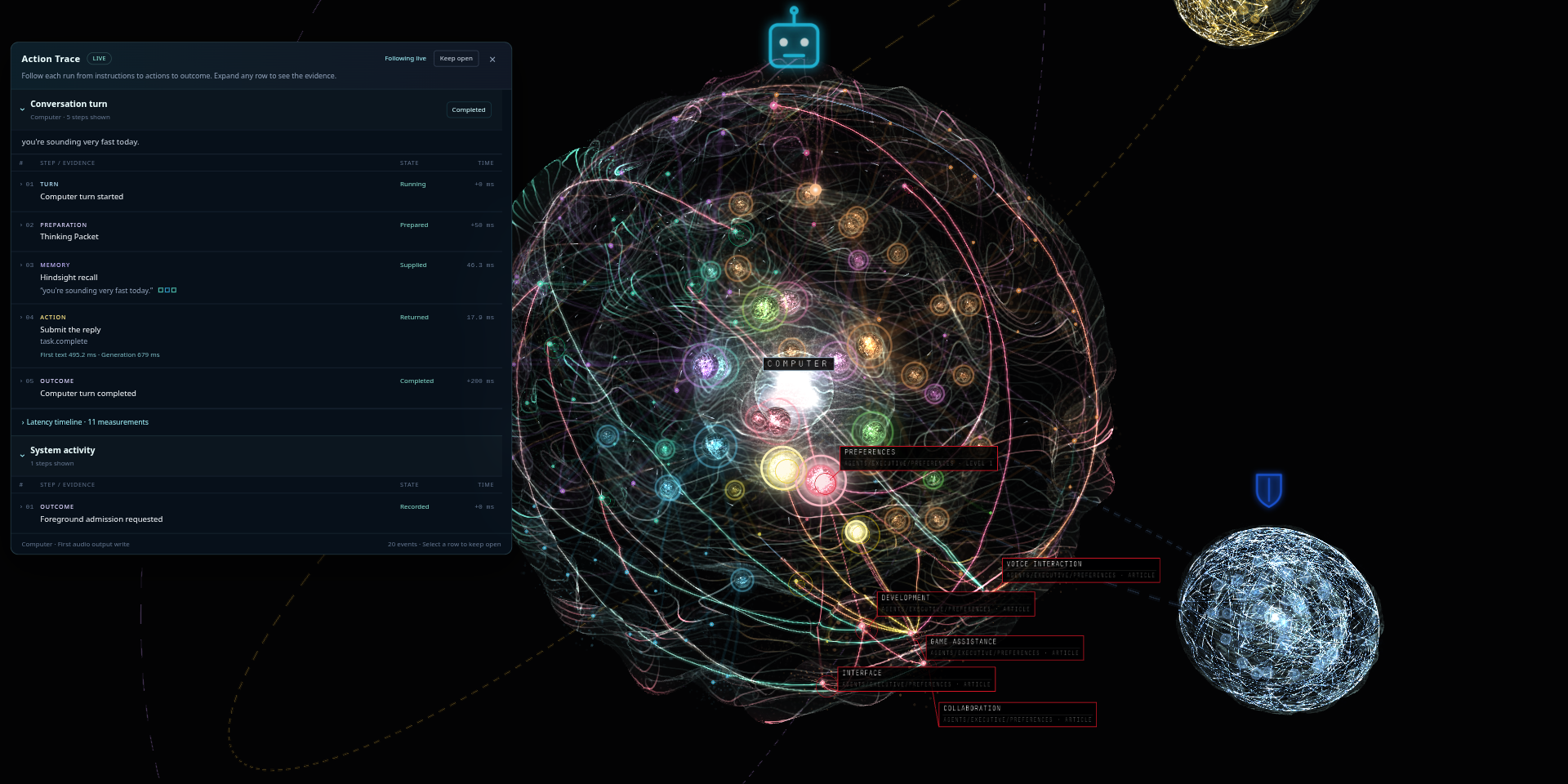
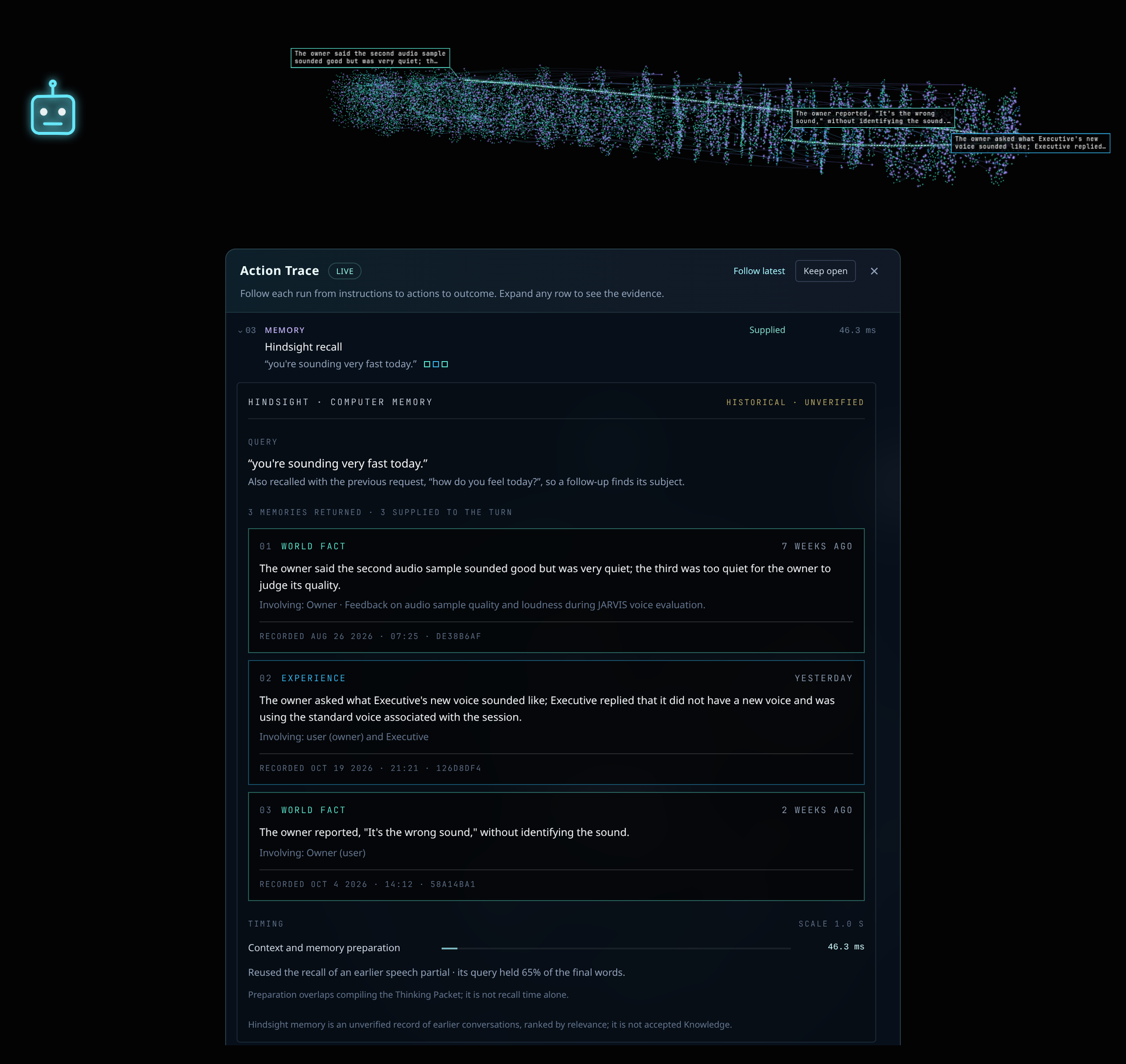
The Graph pane (placement id knowledge-graph) has three views, switched in
its header: Knowledge, Memory and Code. They share controls, background,
details and label style. Provider edges never become Article relationships or
permissions.
Knowledge view
The Executive sits at the center (the Brain, pinned at the origin); its subjects and Articles sit in craters on layered glass shells around it, with hierarchy beams in each branch's color and links between Articles as fine threads. Darwin, Alexandria and Heimdall orbit as their own smaller graphs. The Library is an independent graph on its own stage, never a satellite. The viewer can select the Executive, the Library or one specialist without changing desktop membership.
- Layout. One shared spherical layout for every graph: first-level branches start on a common inner radius, deeper layers end on a common outer radius, and the radius grows automatically with population. Refreshes keep positions and cooling unless the physical inputs change; paint, labels and settings never reheat the simulation.
- Navigation is the API's.
/api/graphnavigation supplies exact identities, titles and parentage; the UI invents no kinds, names or relationships, and Source files do not become nodes because they exist on disk.
What lights up, and why
The thinking animation ignites and labels exactly the Articles in the Agent's supplied Thinking Packet and the refs its Tools returned. A pilot light runs the route and the main beam follows it down the hierarchy to each supplied Article. Hierarchy ancestors and Articles one link away from a supplied one are passed, not consulted: they glow at under half strength, unlabelled, and nothing lights beyond that one link. A Tool or Skill glow means its instructions were supplied, not that it was called.
Actual operations show as halos and labels from the activity stream:
| Color | Means |
|---|---|
| Cyan breathing halo | Reads and searches (their exact returned refs) |
| Violet pulse | Tool calls |
| Amber | Changes awaiting Review |
| Green outward pulse | Committed edits and approvals |
| Red flash | Rejection, failure or interruption |
A returned Tool result does not assert that the real-world outcome succeeded. The packet stays lit through speech; the route lingers six seconds after the reply finishes, then fades. STOP clears it. Activity comes only from supplied context, Tool dispatch and results, intentional Reader loads, committed writes and Review outcomes, never hidden reasoning.
Memory view
The Memory view reads one configured Hindsight bank (chosen in its Agent dropdown) and draws it as a chronological timeline tube: records run oldest to newest, spaced by activity (equal memory volume per length), colored by type (world facts, experiences, consolidated observations). At rest each record shows its strongest native ties; hover and selection reveal every incident link. When a recall returns, a tendril reaches from the newest record back to each returned memory, which lights as it arrives. Nothing lights without an operation that names its records.
Time belongs to Hindsight: the timeline uses mentioned_at; import or
consolidation time never substitutes, and unknown dates stay undated. Requires
Memory.
Code view
The Code view reads codebase-memory-mcp's
layout of a repository (configuration [graphs] codebase_url, default
http://127.0.0.1:9749, and codebase_project) and lays it out with the
Knowledge view's spherical solver: folders, files, classes and functions, with
calls and imports as cross-links. Layout ancestry is placement, never a
relationship.
- Follow. With Follow enabled, a saved file opens a file lens that unfolds that file into a local sphere with up to sixteen direct external neighbors; a click or search does the same. Right-click, Back and Fit return to the project camera.
- Coding activity. Public coding-agent MCP lookups and file saves light the exact files and symbols involved, using fixed labels and returned identities only, never source text, arguments or reasoning.
- The view reports unavailable while the provider is absent and never polls.
Graph settings
Graph settings change presentation only:
| Setting | Controls |
|---|---|
| Branch clearance (Layout) | The one layout slider: padding around nodes and branches; the automatic radius follows. |
| Glass group | Per-layer shell solidity (counted outward from the core), crater depth, crater glow, seed glow, sheen lines and dust, per graph. |
| Beams group | Comet swell, both flares, their durations and the ripple. |
| Thinking speed | The speed of thinking routes. Selection sweeps keep their own fixed 340 ms timing. |
Hidden, locked or reduced-motion stages pause and never catch up; idle motion is display-only and rate-capped.
The full renderer contract is the starter Vault Article Knowledge graph rendering.